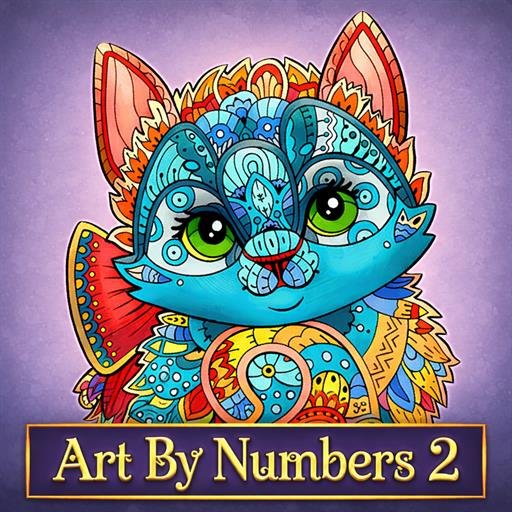
Discover textured painting, free coloring mode, and 72 vibrant artworks in Art By Numbers 2. A relaxing color-by-number experience featuring textured painting, free coloring mode, and 72 stunning artworks.
Art By Numbers 2 is more than just a painting game — it’s a full creative world filled with wonderful illustrations, elegant curves, and bright, expressive colors. All you need is the desire to create, and you’re ready to become an artist!
Simply select a color, match it to the correct number, and fill the image with vibrant paints. Watch detailed outlines transform into beautiful masterpieces as you carefully complete each section.
Featuring 72 bright and colorful paintings, this sequel introduces textured painting effects alongside classic flat coloring, giving every artwork more depth and personality. Want more creative freedom? Switch to Free Coloring Mode and paint without limits.
Relax, focus, and enjoy hours of peaceful painting bliss while bringing stunning designs to life. Your next masterpiece is just a few clicks away!
Gameplay Overview
• Select colors and match numbered sections 🎨
• Complete 72 detailed artworks 🖼️
• Experience textured and flat coloring styles ✨
• Enjoy Free Coloring Mode for creativity 🎭
• Relax with calm, satisfying gameplay 🌿
Main Features
• 72 vibrant paintings 🌈
• Textured painting effects 🖌️
• Classic flat coloring option 🎨
• Free Coloring Mode 🎨✨
• Simple, intuitive controls 👍
• Stress-free creative experience 🧘
Why You’ll Love It
• Beautiful artwork and elegant designs 🎨
• Greater creative freedom with new modes 🖌️
• Perfect for relaxation and focus 🌸
• Easy to learn and satisfying to complete 👌
How to Play
How To Play Art By Numbers 2? Controls (PC) • Mouse Click – Select and fill numbered areas 🖱️ • Mouse Drag – Apply brush strokes ✍️ • Right Click + Drag – Move canvas to a different position 🖼️ • Mouse Scroll – Zoom in/out 🔍 Controls (Mobile / Tablet) • Touch – Select and fill sections 📱 • Touch & Drag – Apply brush strokes ✍️ • Two-Finger Hold + Drag – Move the canvas position 🖼️